
In today’s fast-paced digital landscape, the demand for flexible and secure work environments has surged too unprecedented levels. As companies adapt to the new normal of remote work, innovative solutions like Windows Virtual Desktop have emerged as essential tools for businesses of all sizes. In the latest episode of Azure friday, hosts Scott Hanselman and Christiaan brinkhoff delve into the transformative potential of this technology, which enables users to access their workspaces from anywhere in the world. From enhancing productivity to ensuring seamless collaboration, Windows Virtual Desktop is redefining the way we work in a post-pandemic reality.Join us as we explore the compelling features of Windows Virtual Desktop, including its enterprise-ready capabilities like load balancing, multi-session support, and cross-platform compatibility. Whether you’re a business leader looking to empower your remote workforce or simply curious about the technology driving the future of work, this discussion sheds light on how virtual workspaces are becoming pivotal in our increasingly interconnected world. Get ready to uncover the intricacies of Windows Virtual Desktop and discover how it can revolutionize your institution’s remote working experience.
Understanding the Benefits of Windows Virtual Desktop for Remote Work Solutions
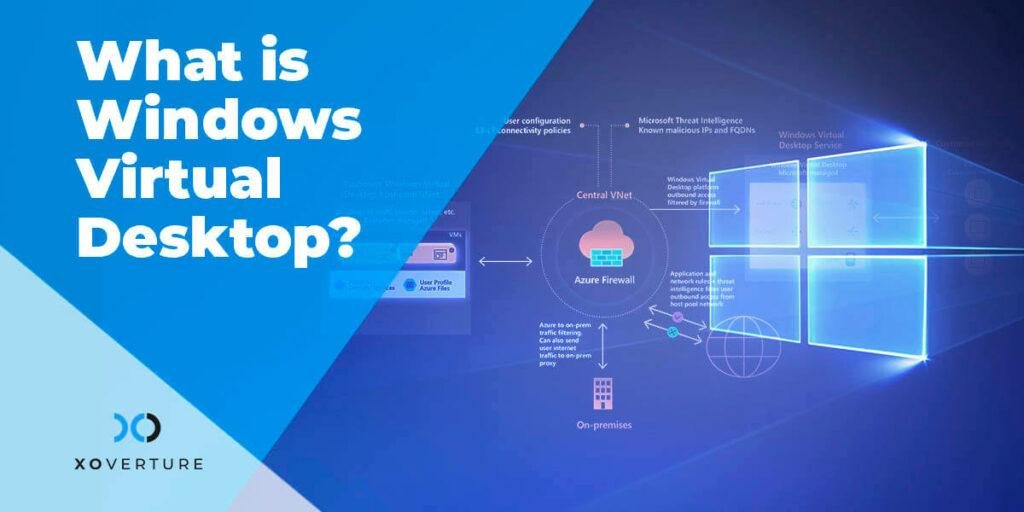
One of the key advantages of windows Virtual Desktop is its ability to provide secure access to workspaces from anywhere in the world, leveraging the power of Azure’s global infrastructure. This capability has become increasingly essential as remote work continues to rise in prominence,notably in response to global events such as the COVID-19 pandemic. By utilizing Windows Virtual Desktop, organizations can ensure that their employees remain productive, regardless of their physical location, thus leading to enhanced operational efficiency. The platform’s robust architecture allows for seamless user experiences across various devices, ensuring that all team members have the tools they need at their fingertips.
Additionally, Windows Virtual Desktop differentiates itself from traditional virtual machine setups by incorporating advanced features designed for enterprise environments. The inclusion of a **control plane** enables critical functions like load balancing and resource sharing, making it an invaluable resource for companies with fluctuating workforce requirements. With support for multiple operating systems and devices, businesses can quickly provision thousands of virtual machines tailored to their specific needs, allowing employees to connect securely as if they were using their on-site desktops. This flexibility not only supports current demands but also prepares organizations for future scalability in a rapidly changing workplace.
Exploring the Architecture of Windows Virtual Desktop and Its Unique Features
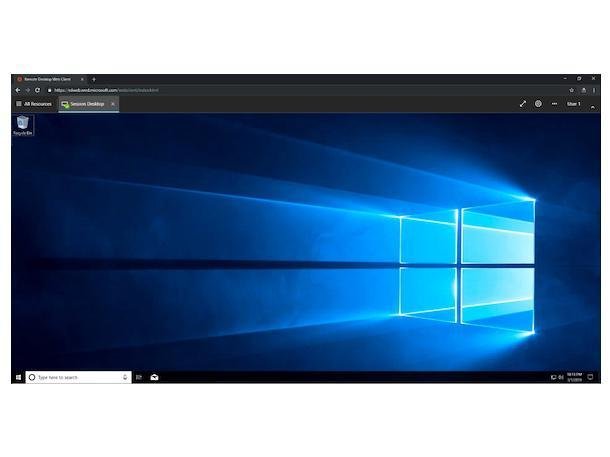
windows Virtual Desktop stands out as a revolutionary solution that facilitates seamless and secure access to corporate workspaces from virtually anywhere in the world. Leveraging the robust infrastructure of Azure, it provides businesses with a comprehensive platform to adapt to the increasing demand for remote work-especially amplified by global events like the COVID-19 pandemic. Companies can now maintain operational efficiency while their employees access virtual desktops that feel just like their physical machines, ensuring productivity does not waver, no matter the location.
The architecture of Windows Virtual Desktop is designed with the enterprise in mind, incorporating key elements such as load balancing, brokeringand multi-session capabilities. Unlike a conventional virtual machine approach, where individual users manage their own setups, Windows Virtual Desktop offers a centralized control plane that streamlines management and scalability across thousands of users. This centralized architecture not only simplifies deployments but also ensures that companies can provision, monitor, and secure virtual desktops efficiently, allowing employees to work from various operating systems and devices, including Mac and Android. With features that cater to enterprise needs, it becomes an indispensable tool for modern businesses aiming to navigate the complexities of remote work.
Recommendations for Implementing Windows Virtual Desktop in your Business

To successfully implement Windows Virtual Desktop (WVD) in your organization, it is essential to focus on planning and strategy. **Assess your current IT infrastructure** and determine how WVD can integrate with your existing workflows. Engage with stakeholders to evaluate operational needs and to establish a robust Remote Desktop Protocol (RDP) that ensures a seamless user experience. **Key considerations include**:
- Understanding user requirements for remote access
- Identifying necessary applications and data storage solutions
- Ensuring compliance with security protocols
Additionally, **invest in training** for your IT staff and end-users to facilitate a smooth transition. Create a feedback loop to gather user insights on performance and reliability, which can guide ongoing optimization of the virtual desktop surroundings. It’s also advisable to utilize **Azure’s global footprint** to enhance performance and reduce latency. Consider the following implementation tips:
- Start with a pilot program to test configurations
- Monitor resource usage and adjust as needed
- Leverage Azure’s analytics tools for ongoing performance tracking
Ensuring Secure Access and User Experience with Windows Virtual Desktop

Windows Virtual Desktop revolutionizes the way organizations facilitate remote work by ensuring security and accessibility. By leveraging Azure’s global presence, businesses can deliver a seamless user experience, enabling employees to access their workspaces from anywhere in the world. This framework supports a wide range of devices, making it versatile for environments where employees use different operating systems, whether it be Windows, Mac, or even android. The ability to manage thousands of virtual machines effectively allows companies to respond swiftly to unforeseen challenges, such as the COVID-19 pandemic, where many had to transition abruptly to remote work.
One of the key advantages of Windows virtual Desktop lies in its refined architecture that incorporates essential elements like load balancing and resource sharing. Unlike traditional virtual machines created for personal use, Windows Virtual desktop provides a robust control plane that enhances enterprise-level functionality with features like multi-session support and improved diagnostics. This allows organizations to meet the burgeoning demand for reliable remote access solutions, ensuring that employees can work efficiently and securely without compromising the integrity of corporate data.
To Wrap it Up
the conversation around Windows Virtual desktop highlighted its transformative impact on remote work, especially in light of the recent global shift towards flexible working arrangements. As businesses adapt to a landscape where employees can work securely from virtually anywhere, the architecture and capabilities of Windows Virtual Desktop become crucial. Christiaan Brinkhoff’s insights shed light on how organizations can efficiently manage their virtual environments, ensuring that employees have access to the tools they need, regardless of their physical location.With its robust features like load balancing and multi-session support,Windows Virtual Desktop not only streamlines operations but also enhances the overall user experience. As companies continue to navigate the evolving demands of remote work, embracing solutions like this coudl very well be the key to maintaining productivity and collaboration.Thank you for joining us on this exploration of Windows Virtual Desktop! We encourage you to keep up with the latest in technology that shapes our workspaces and consider how these innovations can benefit your own organization. Stay tuned for more insightful discussions and practical tips in our future posts!